 BENFRED
Founder licence
Only 100 available169€once
No subscription: pay once, use it until the end of 2030
- All features and updates until 31 Dec 2030
- Then renew with 40% off Pro
- 1 PC, 7-day money-back guarantee
Studio runs next to OBS and takes over everything that would pull you out of the game: predictions, effects, scene switches, clips and stats. One app on your PC instead of five tools and subscriptions.

Studio just
Without a single click from you
 Twitch
 OBS Studio
 Counter-Strike 2
 League of Legends
 VALORANT
 Teamfight Tactics
 FACEIT
Ace, clutch, knife kill or 4K: Studio picks it up from the official game data and celebrates it in your overlay. At the same time it sets a Twitch marker and creates a clip.
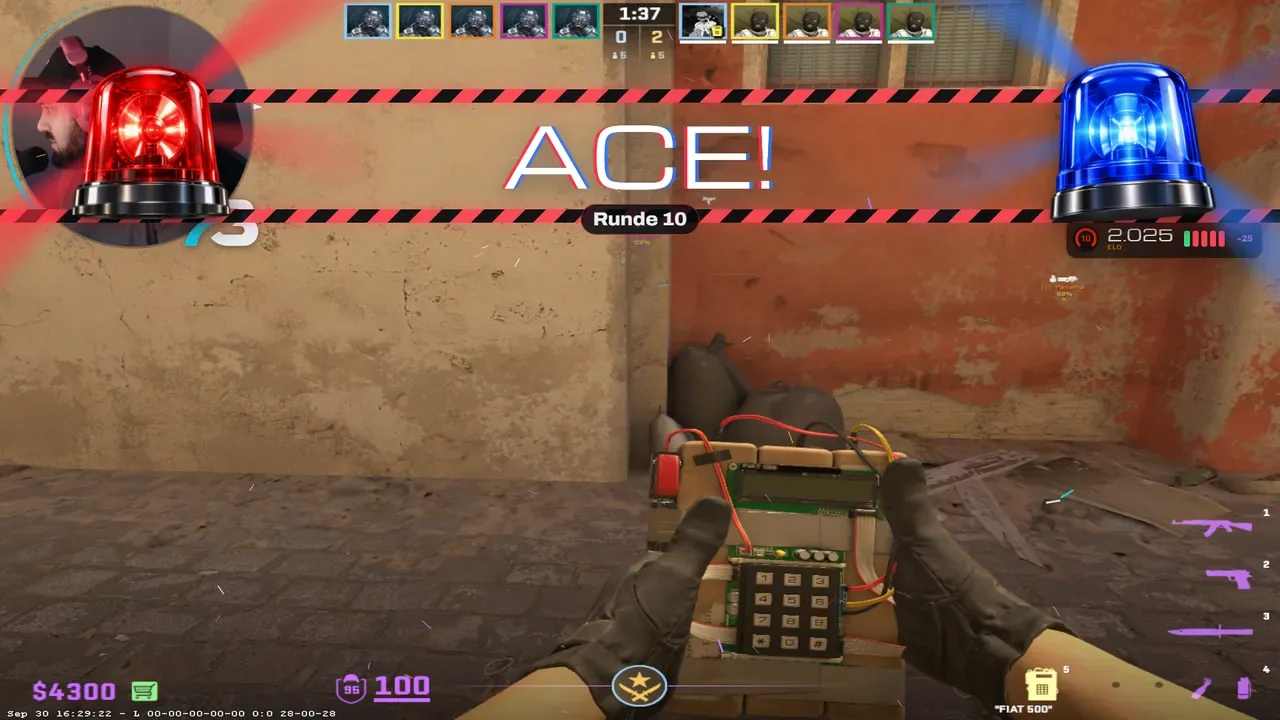
Your viewers bet channel points on whether you win the match. Studio opens, locks and resolves the Twitch prediction at the right moment. You just keep playing.
Studio reads the official game data and the Riot clients on your PC. No memory reading, no interference with the game.
Twitch predictions are for CS2 only. Every other game gets a general game scene.
Collapsed, the card runs alongside your game. Expanded, it shows your history and stats. Studio decides when it opens.
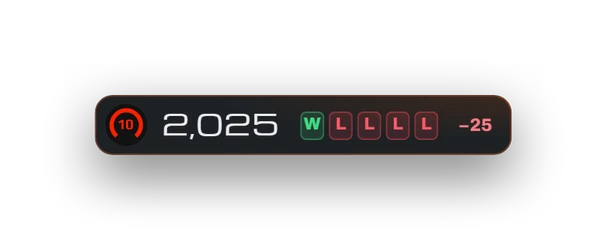
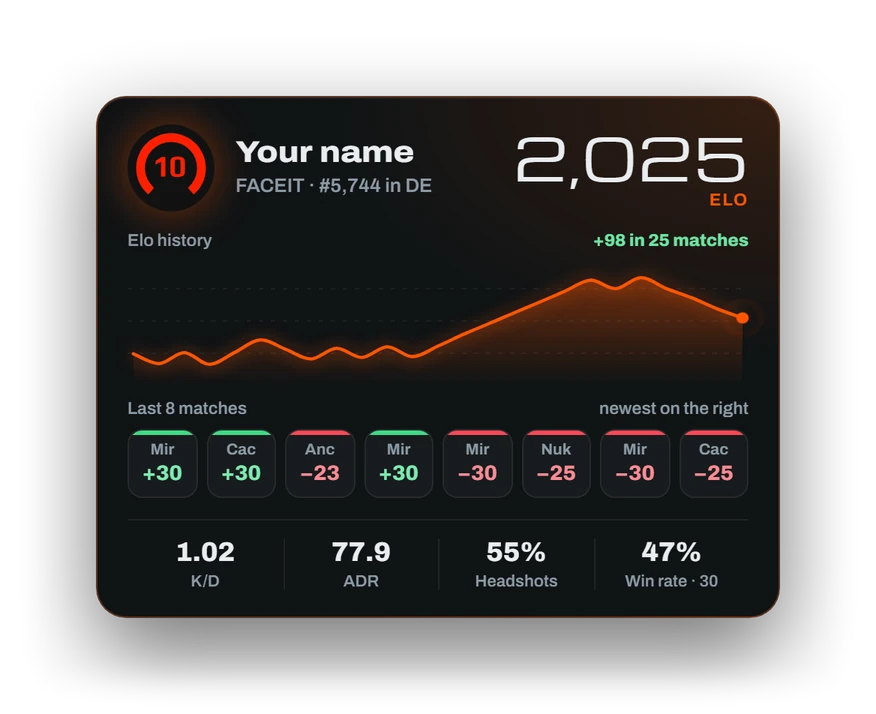
Opens in every fourth buy phase for 8 seconds. Premier gets its own card with rating and Leetify stats.
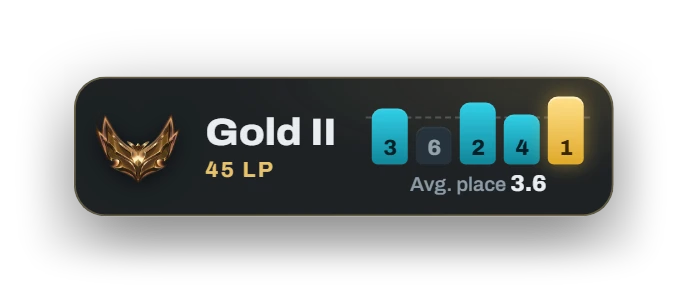
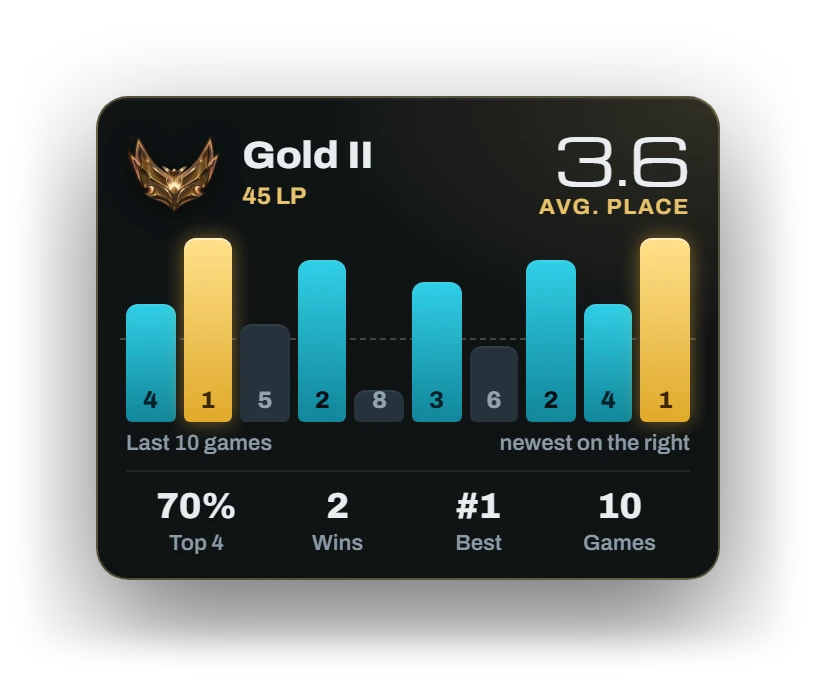
During a game it opens every 5 minutes for 10 seconds by default.
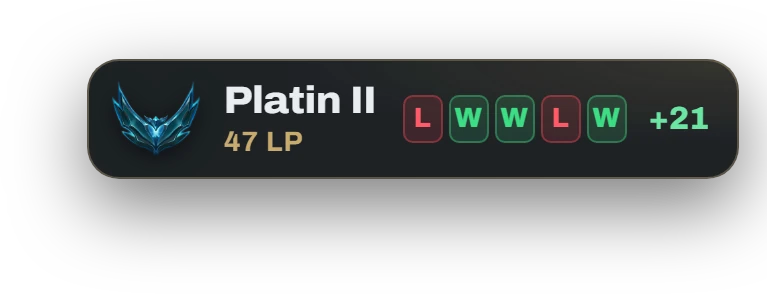
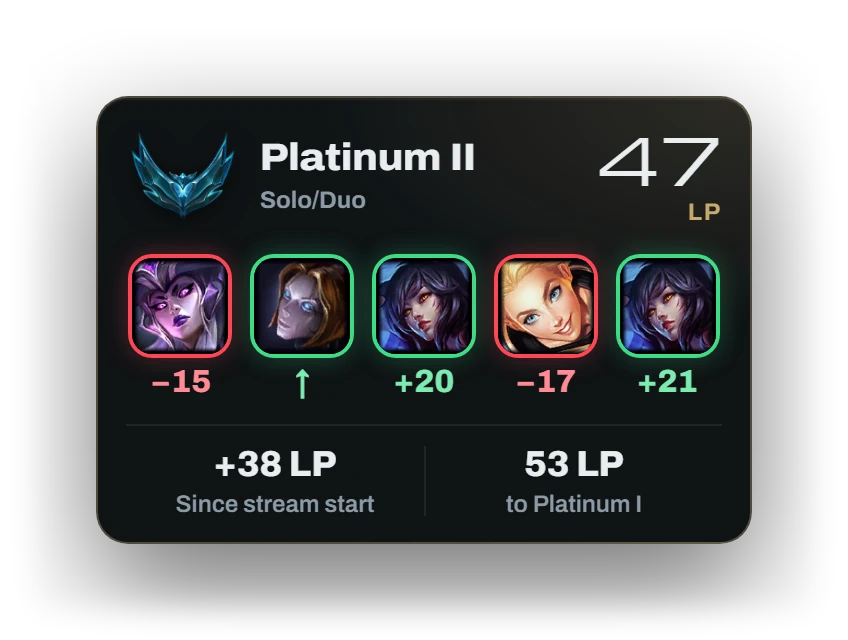
Opens between games. Its spot at the top right keeps the status bar and kill feed clear.
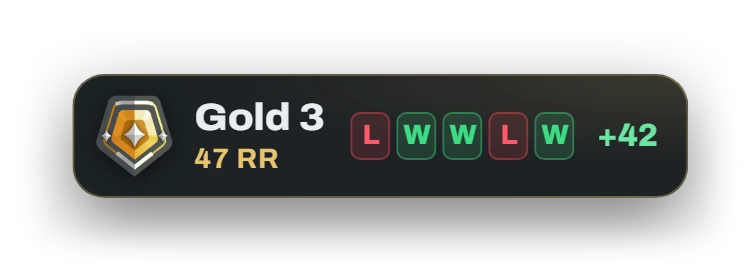
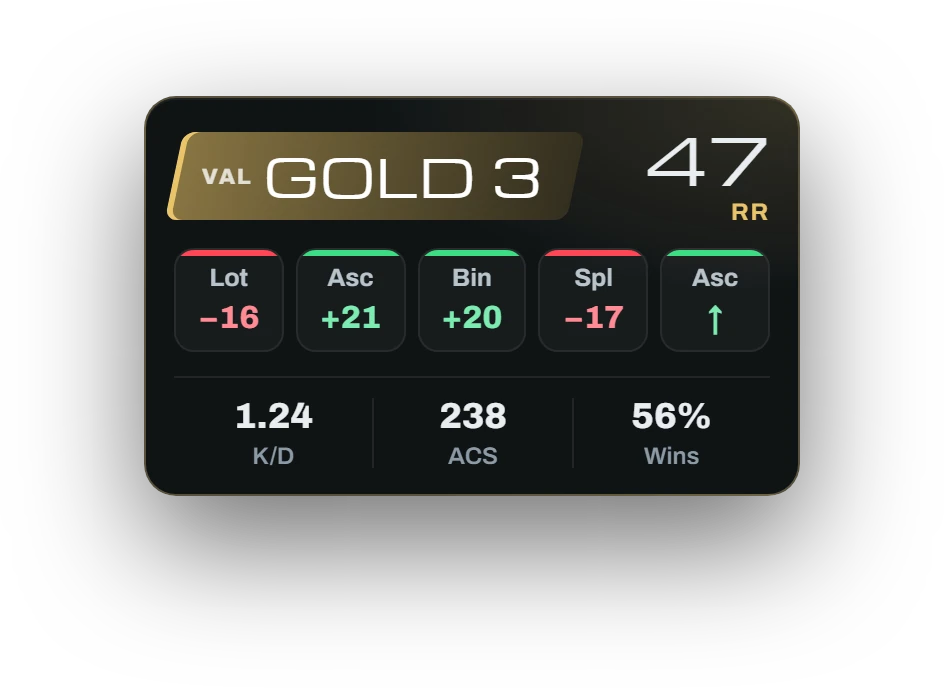
You switch on the VALORANT rank card in Studio.
Studio comes with games for your chat built in. Everything runs on chat commands or channel points and shows up as an element in your overlay.
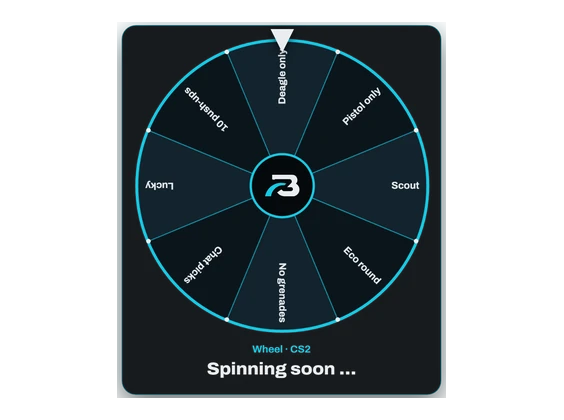
You spin, chat holds its breath: weapons in CS2, comps in TFT or your own wheels. The result runs as a challenge with a countdown.
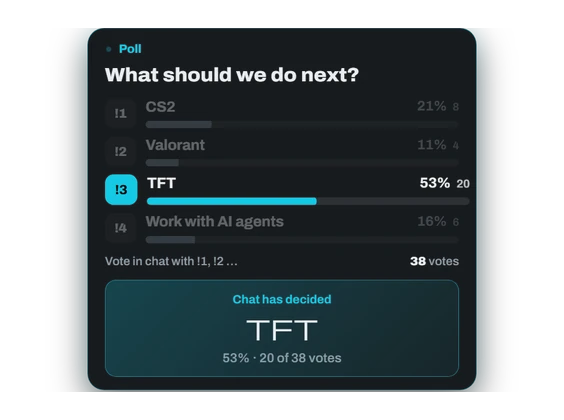
Vote with !1 to !6, changing your mind allowed. Bars grow live, and the winner shows up on screen and in chat.
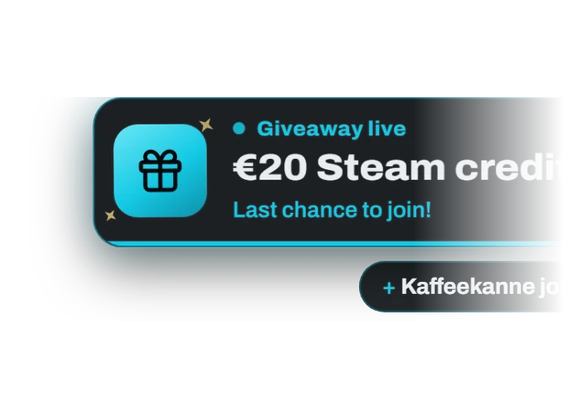
Enter with channel points or !join. Studio draws on screen, and if the winner doesn't answer, it draws again.

Level, progress, time left and your top supporters, with a celebration at every new level.

The raider's avatar, name, game and followers on screen, plus the official Twitch shoutout.

Ten streams in a row earns confetti. From 25 on, it's the big celebration.
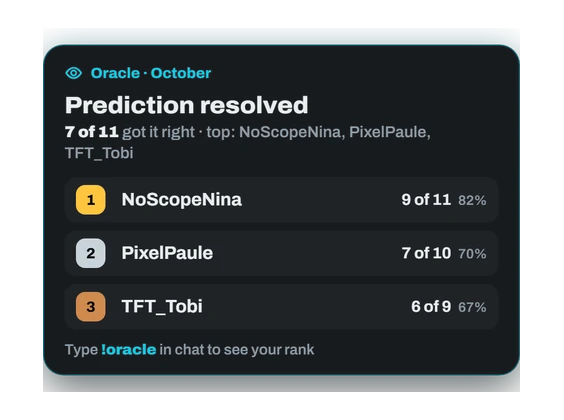
A monthly leaderboard of the best predictors in your chat. With !oracle everyone sees their own spot.
PixelPaule!idea More TFT nights with viewers
BENFREDThanks! Idea #42 is noted.
Viewers send suggestions with !idea and !bug. Studio thanks them in chat and collects everything for you.
Chat, moderation, raids and ad breaks in one place. Before every stream Studio checks that everything is ready, and while you're live it keeps an eye on the tech.
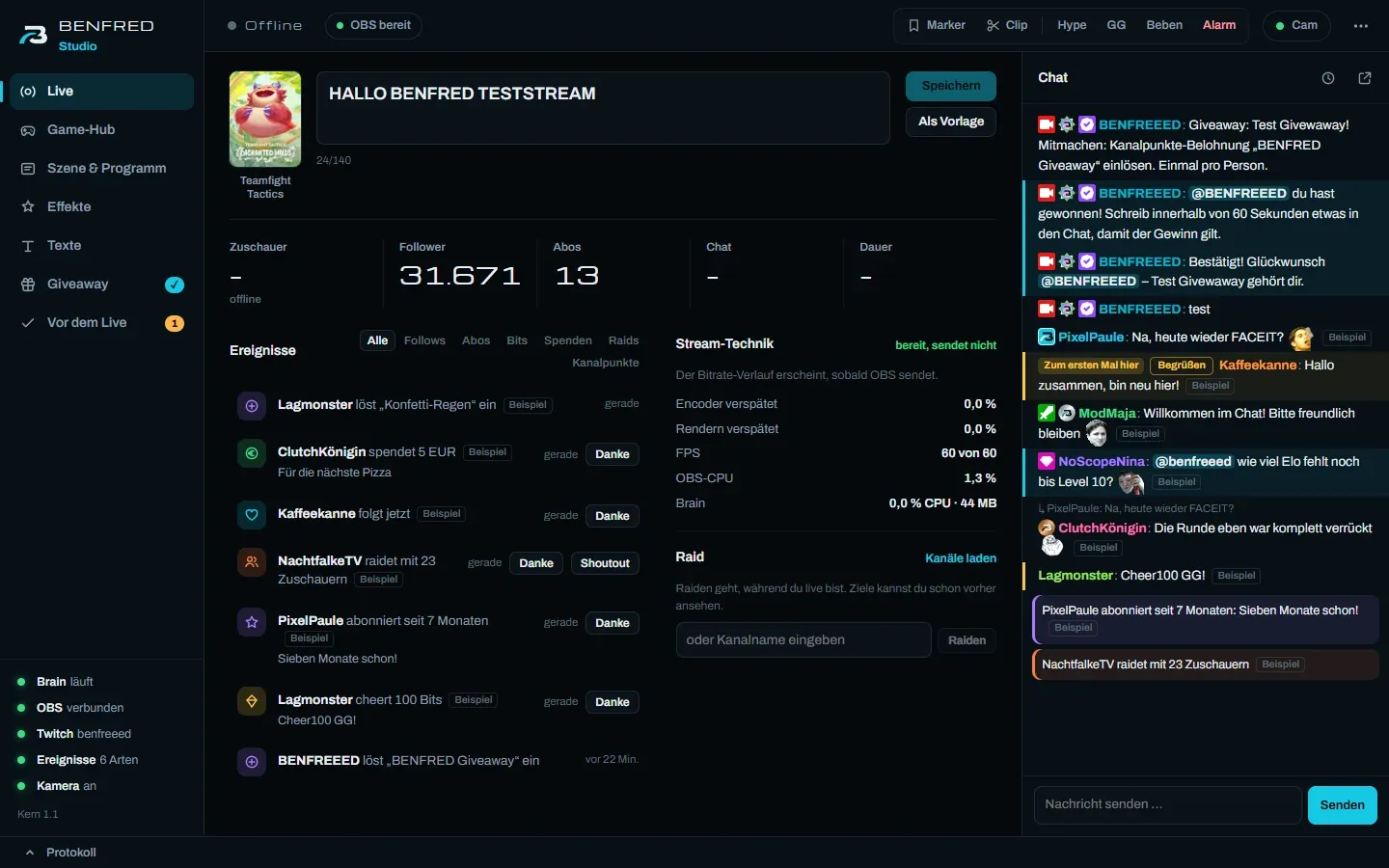
Studio records every stream. Afterwards you see what worked, and you have material to post.

For a polished stream, many streamers stitch several tools together: alerts here, a bot there, a subscription for Elo and predictions, scripts for automation. Studio brings that together on your PC.
| Job | Usually | BENFRED Studio |
|---|---|---|
| Automatic predictions from CS2 matches | FACEITSync (subscription) | included |
| Elo, rank and history in your overlay | FACEITSync, Elo overlays | included |
| Scene switching between lobby and game | Streamer.bot and custom scripts | included |
| Effects for big in-game moments | custom scripts | included |
| Giveaways, polls, prize wheel | chatbots | included |
| Your own overlay designs | Streamlabs Ultra (from $15.75 a month) | coming |
| Stats, recap, sponsor report | spreadsheets by hand | included |
| Setting up OBS | tutorials | included |
| Alerts for follows, subs and raids | StreamElements (free) | coming |
| Multistreaming to YouTube and Kick | Streamlabs Ultra | coming |
Today Studio brings in alerts for follows, subs and raids through StreamElements; its own alerts are coming in an update. Prices as listed on the providers' websites, October 2026.
Studio looks for free spots in your scenes and places its elements there. Your design stays as it is.
Until then, you add the elements to your scenes as sources yourself.
Studio runs every night on BENFREEED. Every feature on this page is in use there, and every bug from live use has made Studio better. Drop by and see it live.
From reserving your spot to your first stream with Studio.
Enter your email. When sales open, you get the purchase link first.
After purchase, your licence key and download link arrive by email.
The wizard walks you through licence, Twitch, OBS, games and your brand. Whatever Studio finds on its own, you don't have to enter.
The pre-live check shows whether everything is ready. From then on Studio works in the background.
No free tier, but everything's included: every feature and every game, in both licences.
169€once
No subscription: pay once, use it until the end of 2030
7,99€per month
or 81,50 € a year, 15 % off
All prices are final prices. Which payment partner handles payment and invoicing will be listed here when sales open.
Sales open soon. If you reserve, you get the purchase link first. You don't pay anything yet and you're not committing to anything.
A reservation doesn't hold one of the 100 founder spots. Spots go when people buy.
Windows 10 or 11 (64-bit), OBS Studio version 28 or later, and a Twitch channel. Twitch predictions require Affiliate or Partner status; that's a Twitch rule. The game, OBS and Studio run on the same PC.
No. You keep your design. Studio provides its elements as sources for OBS, and you place them in your scenes. Soon Studio will do the placing for you.
Counter-Strike 2 in Premier, matchmaking and on FACEIT, plus League of Legends, Valorant and Teamfight Tactics. Twitch predictions are for CS2 only. Every other game gets a general game scene.
Yes. Overlays, stats and settings live on your computer. Studio only asks our licence server whether your licence is valid. To do that it sends a device ID (a hash, not a name) and your PC's name, so you can tell your devices apart.
You're online to stream anyway. Studio checks the licence once a day and keeps working for 14 days without internet.
No. If a licence expires during a stream, it stays valid until that stream ends.
Until 31 Dec 2030, all features and updates are included. After that, you can renew with 40% off the Pro price at that time. If you don't renew, the licence ends on 31 Dec 2030. We'll remind you by email in good time. If Studio is ever discontinued before then, you'll know 6 months ahead, and the last version keeps running offline.
Email us at kontakt@it-meeder.de within 7 days of purchase. You get the full amount back, no questions asked. For Pro, this applies to the first payment.
No. Instead you can use Studio for 7 days and get your money back if it isn't for you.
One: the PC you play and stream on. Studio reads the game data right there, so the game, OBS and Studio run on the same PC. Switching PCs? Sign out the old one in Studio under Settings → Licence and activate the new one. Setups with a separate streaming PC aren't supported at the moment.
BENFRED Studio is made by IT-Meeder in Germany. We use it ourselves on the Twitch channel BENFREEED.
Email kontakt@it-meeder.de. You'll find the download link for the setup in your purchase or tester email. Only download Studio through that link.
The founder licence is only available at launch: pay 169 € once, use everything until the end of 2030, then renew with 40% off.
Reserve a founder spot